How We Build the Informational Layer of Your Content Product

In the previous article, we introduced the idea of a flagship content product and why it works.
We also mentioned that a strong hub is built in two layers:
informational architecture (how people learn)
conversion architecture (how people take action)
This article focuses on the first layer.
What informational architecture means
Informational architecture is simply how your content is organised so someone can teach themselves.
It is not about design or layout first.
It is about making sure a buyer can:
understand the problem
explore the topic in a logical way
find what they need without friction
move from simple to more advanced ideas
If this layer is unclear, the rest of the hub will struggle, no matter how good the content is.
What typically goes into a content hub
Most effective hubs include a mix of the following elements:
cornerstone assets
resources
webinars or events
blogs (traffic pages)
landing pages
author or expert pages
email capture points
clear paths to the next step
Not every hub needs all of these in equal weight.
But these are the core building blocks you will work with.
A. Cornerstone assets

Example of a cornerstone page from one of our clients.
These are your most important pieces.
They are the deepest, most valuable content in the hub.
Common formats include:
flagship guides
white papers
benchmark reports
methodology or framework pieces
pillar pages
These assets do three things at once:
Teach something substantial
They help the reader properly understand a problem or approach.Anchor authority
They show your depth of thinking on the topic.Pull people deeper
They give a natural reason to continue exploring.
The key is focus.
Strong cornerstone assets are not generic “ultimate guides.”
They are built around real problems your audience is trying to solve.
B. Resources
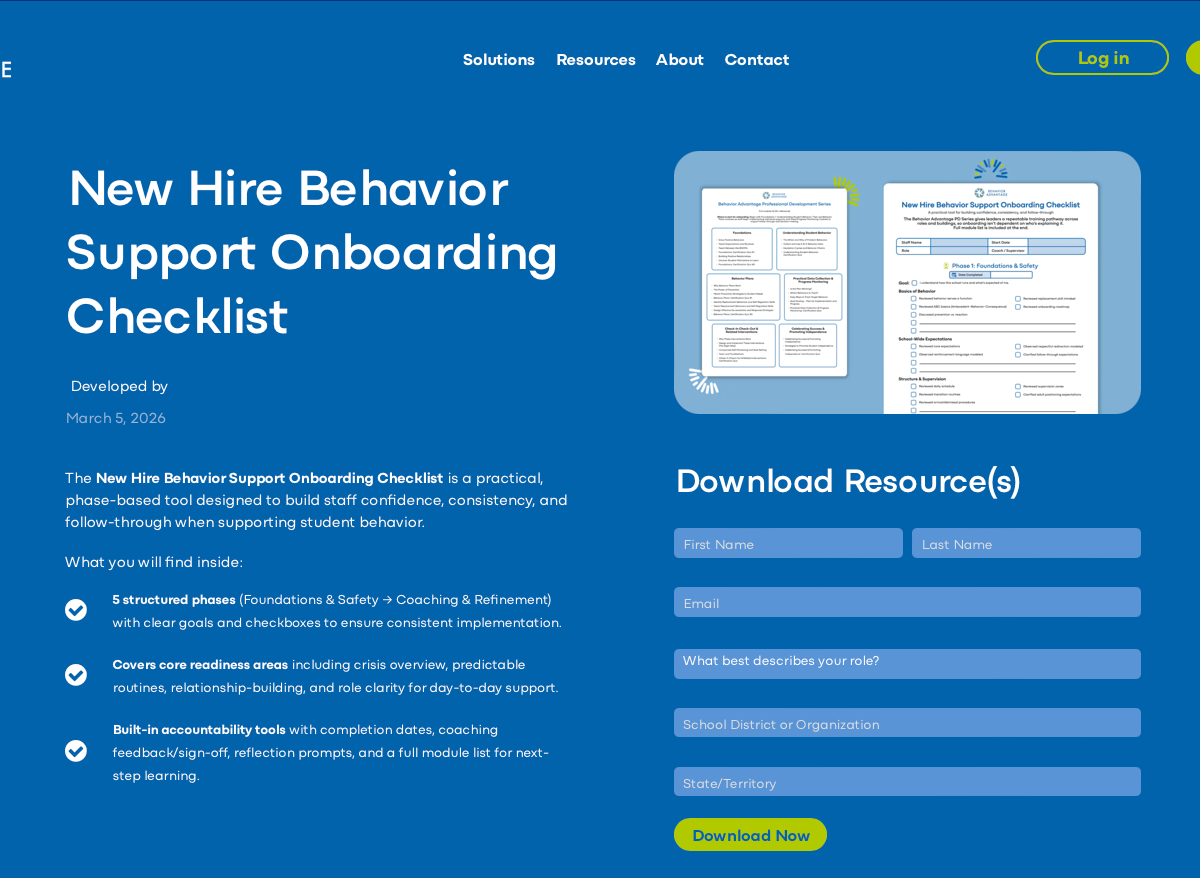
Example of a resource page from one of our clients.
Resources help people apply what they have learned.
They are practical and usable.
Typical examples include:
templates
checklists
worksheets
tools
implementation guides
These work well because they turn passive reading into action.
They also create natural moments for deeper engagement.
C. Webinars and interactive assets
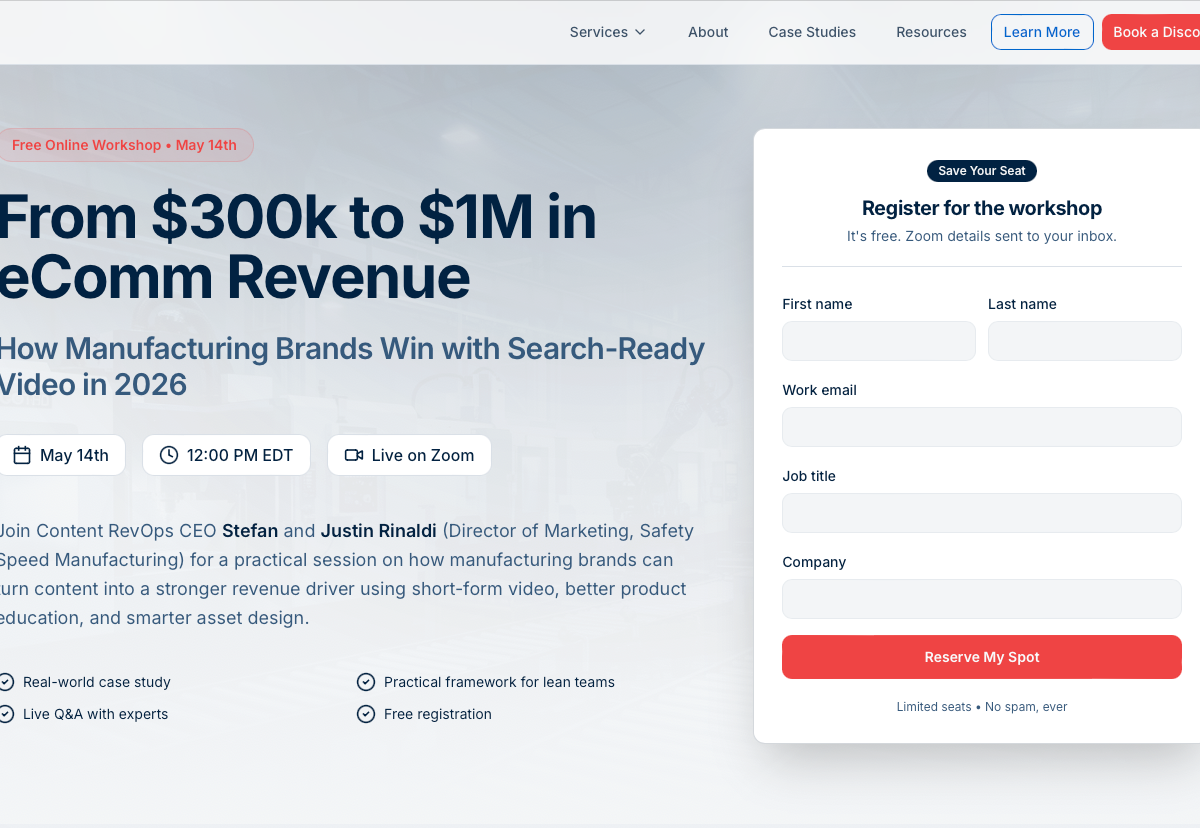
Example of a webinar page.
Webinars and similar formats move people from reading to participating.
They are valuable because they support multiple goals at once:
capturing intent
building trust
connecting the audience to real experts
creating a sense of interaction or community
warming up future sales conversations
In longer sales cycles, this shift from passive to active engagement is especially important.
D. Blogs and traffic pages

Example of a blog page hero from one of our clients.
These are your main entry points.
Their role is to capture demand and bring the right people into the hub.
A good traffic page should:
match a real search intent
answer one clear question
introduce the broader topic
point to a useful next step
It helps to think of blog posts as front doors, not finished products.
Their job is to start the journey, not end it.
E. Landing pages
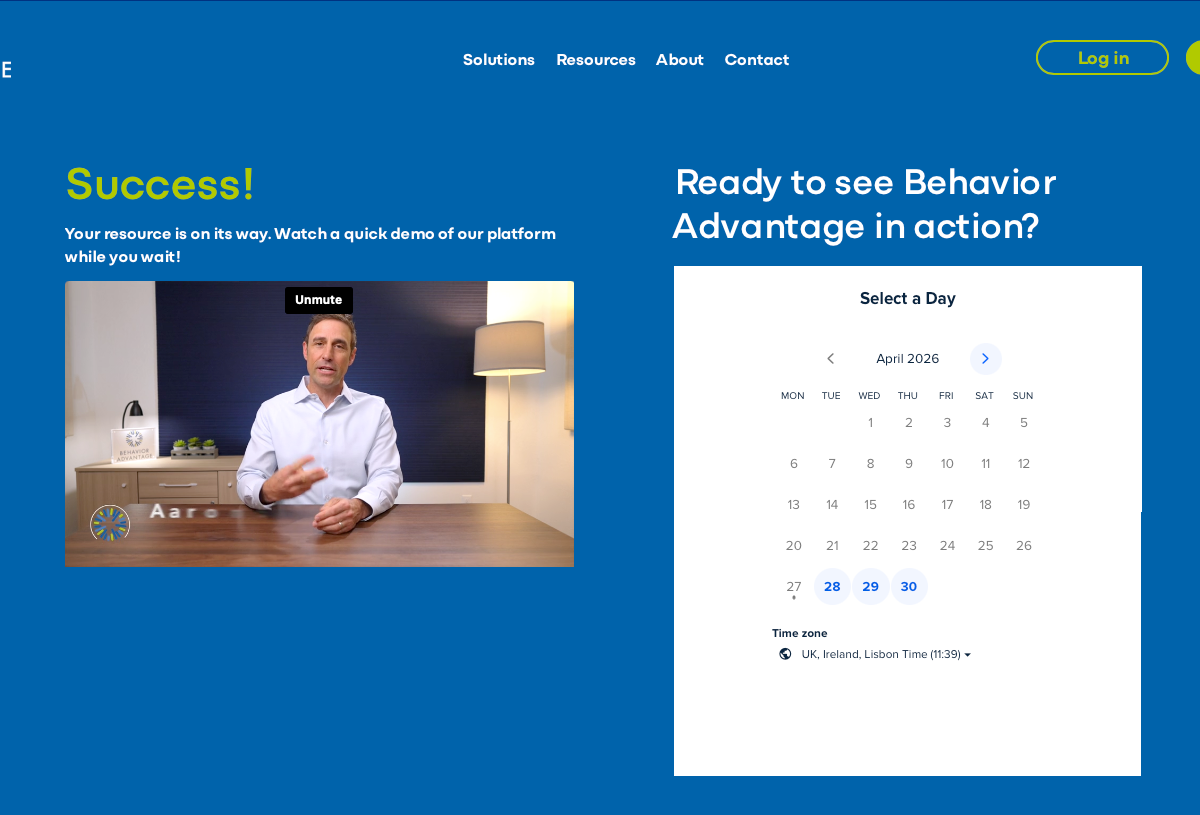
Example of a landing page shown after someone downloads a resource.
Landing pages are where stronger intent becomes visible.
They are used for:
resource downloads
webinar registrations
category overviews
product-adjacent education
demo or contact bridges
The key difference from blogs:
A blog answers a question.
A landing page asks for a small commitment.
It should feel like a natural next step, not a repetition of what the user has already read.
F. Author or expert pages
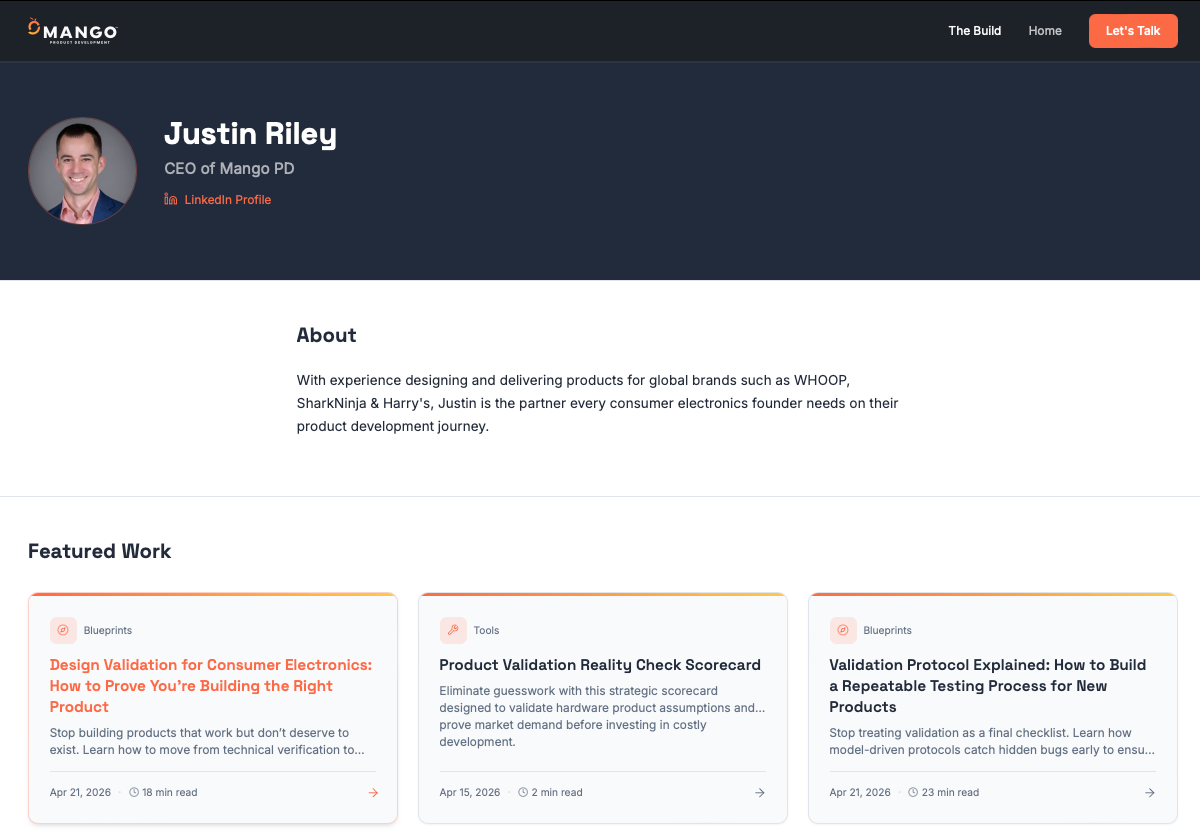
Example of an author page.
These are often overlooked, but they play an important role.
An author page gives context to the content.
It helps the reader understand:
who this person is
why their perspective matters
what else they have contributed
This strengthens trust, especially in complex or expert-led areas.
It also supports the overall structure of the hub, including search visibility.
G. Email capture and subscriber paths
Email capture should exist across the hub, but it should feel earned.
Instead of forcing it everywhere, place it where it makes sense:
alongside valuable resources
during webinar registration
within newsletter sign-ups
as a “continue learning” option
The goal is to offer a clear way to stay connected, not interrupt the experience.
Bringing it together
When these elements are organised well, the hub becomes easy to use.
A visitor can:
enter through a blog
explore a deeper guide
use a practical resource
attend a webinar
subscribe for more
All without feeling lost or pushed.
The takeaway
Informational architecture is about clarity and flow.
It ensures your content:
builds understanding step by step
supports different learning styles
makes it easy to continue
If the previous article explained why the hub matters, this is how you make it usable.
In the next article, we’ll look at the second layer: how to guide people from learning into action without pressure.