The Complete Guide to Webinar Production in 2026
Ready to make webinars a repeatable pipeline engine—not a one-off event? Let’s design your webinar operating system.
Book a CallMost B2B webinars still fail for the same reason: they’re disguised demos pretending to be education. Audiences feel the bait-and-switch, so they don’t register, they don’t show up, and they definitely don’t engage. Marketers feel it too—low attendance, thin Q&A, and reporting that stops at “leads” because revenue impact is hard to prove.
In 2026, webinar production isn’t “hosting a live event.” It’s designing an end-to-end experience that educates the right buyers, creates intent, and then feeds pipeline and content for weeks after the live date. That means planning the story, the promotion engine, the live run-of-show, and the follow-up like one connected system.
The guiding rule is simple:
80% real education (diagnose the problem, show the landscape, give practical next steps)
20% soft pre-sell (light “how we approach this” cues, then a tight close tied to what you just taught)
This 80/20 mix mirrors what many high-performing B2B teams use in their top-of-funnel webinars: treat the session as a content asset first, and a sales touch second, so it can drive both immediate opportunities and long-tail demand.
This guide breaks the system into four parts: (1) strategy and topic, (2) speakers and promotion, (3) production and live delivery, (4) post-webinar follow-up and reuse—because webinars work best as content infrastructure and a go-to-market engine, not isolated campaigns. When they are designed that way, a single session can reliably turn into a month or more of downstream assets, from social clips to nurture content, instead of living and dying on one 45-minute calendar slot.
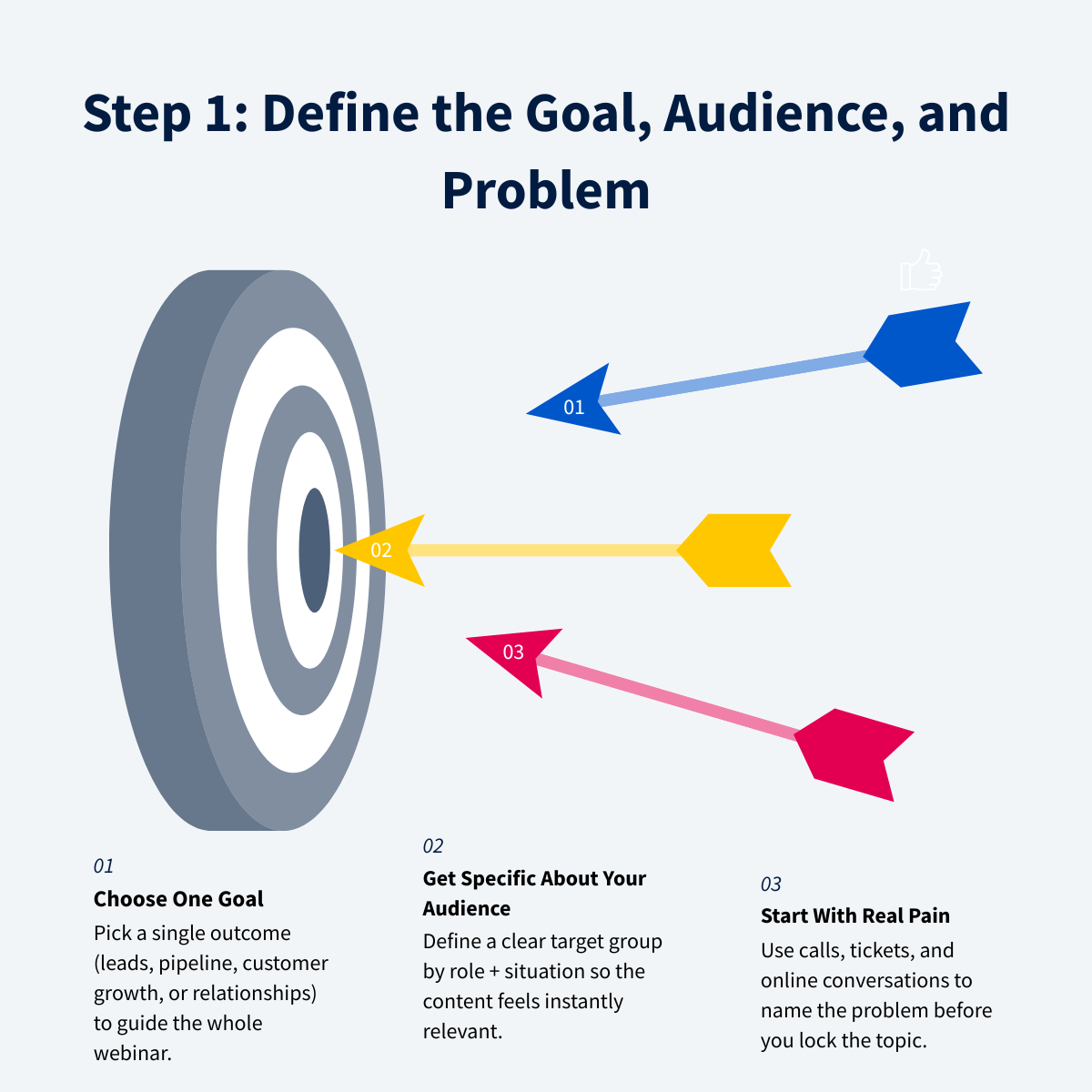
Step 1: Define the Business Goal, Audience, and Problem
Start with a single business goal
Webinar production starts with commercial clarity, not slides or platforms. Pick one primary outcome and let everything else follow from it:
Lead generation: net-new names and qualified inquiries
Deal acceleration: move active opportunities to the next step
Customer enablement / upsell: drive adoption, expansion, or renewals
Outreach / relationship-building: open doors with hard-to-reach ICPs
Those buckets line up with how most B2B teams already classify webinar goals (demand gen, buyer education, deal nurturing, and customer success), and they reflect why webinars remain one of the highest-performing digital channels next to in-person events in many B2B benchmarks.
That single goal will dictate your format, depth, CTA, and follow-up. A lead gen webinar needs a broad, accessible problem and a frictionless next step. A deal acceleration webinar can go narrower, assume more context, and end with a stronger “here’s how to apply this in your environment” CTA that ties directly into your sales motion.
Anchor your content arc around the 80/20 rule:
80%: teach a skill, reframe the problem, and show how to think
20%: add light “how this works in practice” bridges (stories, patterns, approaches) that naturally point to your solution—without turning the session into a pitch
That 80/20 split is a common pattern in high-converting B2B webinars: most of the time is spent diagnosing and educating, with only a short, explicit pivot into your product at the end.
Define a specific ICP and context
“B2B marketers” is not an audience; it’s a category. Aim for sharp + situational, like:
“Post-funding biotech startups building their first lab ops function”
“K–12 district leaders revisiting digital literacy after the pandemic”
Teams that consistently see strong registration and attendance numbers segment this way—by role, industry, company size, and a trigger event—rather than marketing to generic verticals.
Use behavioral and lifecycle triggers to increase relevance: recent funding, a new regulation, a platform migration, headcount milestones, or renewal windows. These are the same triggers sales and CS already use for outreach, so you can mirror them in your audience definitions and messaging.
Keep registration fields minimal—and map each one to a real use:
Role (sales routing, tailoring examples)
Industry (segment follow-up)
Company size (qualify and prioritize)
Key challenge (personalize reminders + post-webinar outreach)
Putting “nice-to-have” questions on the form just to have more data almost always depresses conversion without improving targeting; the fields above show up repeatedly in high-performing webinar programs because they directly power segmentation, nurture, and sales follow-up.
This definition also informs timing (time zones), length (30–45 vs 60 minutes), and how technical you can be. Many B2B programs now favor 30–45 minutes as a default, reserving 60 minutes for highly technical or training-style sessions where the ICP expects more depth.
Mine the problem space before naming the topic
Before you finalize a title, mine real buyer pain from:
sales and CS calls, customer interviews
support tickets and feature requests
Reddit, Slack groups, and LinkedIn comment threads
High-performing webinar programs treat this as an ongoing research loop, not a one-off brainstorm: the same raw material also feeds landing page copy, email promotion, and post-webinar nurture content.
Use AI as a pattern extractor, not a topic generator: feed it transcripts/posts and pull recurring pains, objections, and the exact words buyers use. Then do the human work: choose problems that are urgent, realistic, and solvable in one session. This mirrors how strong content teams build webinars as “master assets” that later spin out into repurposed content; the clearer the problem framing, the easier it is to reuse.
Turn patterns into crisp problem statements:
“Buyers can’t tell X from Y.”
“Teams stall at step 2.”
“Leaders don’t know how to measure Z.”
These kinds of statements also translate cleanly into titles that follow proven formats like “How to…,” “What is…,” or “X vs Y…,” which tend to outperform vague, clever headlines in both registrations and replay views.
Don’t lock the title yet—you’re building a hypothesis your speaker (and your ICP) will sharpen. Many experienced producers treat the initial title as a working headline they’re willing to revise after a discovery call with the speaker or a quick pass through recent sales notes, ensuring the final promise on the landing page matches how the market actually talks about the problem.
Step 2: Co-Create the Topic and Format with the Right Speakers
Source speakers from your ICP, not just your org chart
The fastest way to make a webinar feel credible in 2026 is to stop treating speakers as “who’s available internally” and start treating them as “who your buyers already trust.” For many B2B teams, webinars are already one of the highest-performing channels for demand gen and education, but they only work when the voice on screen reflects the real-world perspective of your ICP, not just your product team.
If you don’t have an in-house SME, use LinkedIn like a targeted expert database. Treat this as market research and speaker sourcing rolled into one: when you search directly for the exact roles you sell to, you’re mirroring the process used by teams that routinely turn a single webinar into a month of repurposed content and ongoing pipeline.
A simple workflow:
Search the exact job title in your ICP (for example: “lab manager,” “school district superintendent,” “VP RevOps”)
Filter by industry, geography, and company size (Sales Navigator makes this much easier)
Build a raw list of 30–50 profiles, then use an AI research assistant to shortlist 10–20 based on:
direct relevance to your buyer’s day-to-day reality
visible expertise (posts, talks, articles)
overlap with your core ICP and trigger context
Teams that treat this as a structured process (not a one-off favor ask) tend to see very high reply rates from senior titles and build relationships even when the person doesn’t end up speaking live.
Your outreach should be hyper-specific and mutually beneficial: “We’re hosting a session for [audience] on [problem]. Here’s the rough outline—could I get your POV?” This converts because you’re not asking for “a favor.” You’re offering visibility, a platform for thought leadership, and a real chance to shape how vendors support their role. In complex sales, even a “no” can open doors later, and a single well-aligned webinar often becomes a “master asset” that fuels multiple follow-up pieces and touchpoints.
Co-develop the webinar angle and title
When someone shows interest, send a tight 3–5 bullet outline (not a full deck). Include:
Audience + situation: who they are and what’s happening in their world right now
Goal: what a “win” looks like (3 concrete actions they can take this week)
Problem statement: the friction you’re solving
Draft structure: story → framework → Q&A
This mirrors how high-performing teams plan webinars as end-to-end productions: the outline doubles as the backbone for your slides, landing page, and eventual repurposed clips.
Then pressure-test the angle with questions that surface specifics:
“If you had 30 minutes with a room full of [ICP], what would you insist they understand?”
“Where do teams fail here, and what do the best teams do differently?”
“What do you believe that contradicts the usual ‘best practices’?”
The goal is to land on a must-have topic tied to a specific situation, not a vague “nice-to-have” overview. Finalize in a shared doc. Let the expert lead the nuance; you keep it aligned to your funnel goal and ICP so the session can cleanly support follow-up sales motions and a 30-day content calendar.
Design the session arc around education, not a hidden demo
Co-design the run of show around an 80/20 split: education first, soft pre-sell last. That ratio consistently shows up in analyses of the most effective B2B webinars: the best sessions feel like a workshop or mini radio show with pictures, not a pitch.
A clean arc:
0–5 min: context and why it matters now
5–25 min: diagnose + frameworks + decision criteria
25–35 min: Q&A / mini audits / hands-on walkthrough
final 5 min: tie your method (or product) to the problem you just diagnosed
This structure also makes it far easier to timestamp key moments for clips, turn the main narrative into written assets, and plug performance data into your webinar analytics later.
Bake in engagement early (planned polls, pre-seeded questions) and stress-test the topic with one rule: if you removed your product entirely, would attendees still leave with real, teachable skills? When the answer is yes, you end up with a session that can reliably be repurposed into multiple content formats in under two weeks, supports follow-up nurture sequences, and gives sales a clear story to reference in post-webinar conversations.
Step 3: Build a Simple, High-Converting Promotion Engine
Create a benefits-first landing page
Your landing page has one job: turn the webinar promise into a confident registration. Keep it short, specific, and about the attendee—not your company.
Include these core elements:
A clear H1 that names the problem and the outcome (human first, keyword-friendly second). Headline-style titles that mirror strong article formats (“How to…,” “X vs. Y…”) tend to outperform vague, clever phrasing for webinars.
2–3 takeaway bullets that answer: “What will I be able to do after this?” Outcome-focused bullets are consistent with what high-performing webinar programs use on their registration pages to set expectations and reduce no-show rates.
A short speaker bio focused on credibility for this problem (not a full career history). Emphasize why they’re qualified to speak to this specific audience and issue, the way most webinar checklists recommend when they position webinars as a “mini-theatrical event” rather than a generic product pitch.
Who it’s for (job titles, company types, and stage/trigger like “post-funding”). Narrow, situational ICP descriptions, the kind that sit behind our shortlist of demand generation agencies for education companies and school groups, (“post-funding biotech startups,” “K–12 district superintendents”) consistently drive higher relevance and conversion than broad categories.
Simple details: date, time, duration, and format (live workshop, Q&A, teardown, etc.). Clear logistics on the page support the same deadline-driven, project-managed approach used in mature webinar programs.
Reduce friction:
Don’t write a long, salesy page. Clarity beats hype. Webinar planners who treat the page as a problem/solution pitch—not a product brochure—see stronger opt-in rates and better attendee quality.
Keep the form simple: name, work email, role, plus 1–2 optional qualifiers (industry, biggest challenge). Registration environments that ask only for essential data, then capture richer intent via questions like “What would you like to get out of this webinar?” tend to maintain higher conversion.
Avoid placing the form above everything if it crowds out the promise. Give people a short scroll of context first; landing pages that tightly align invite copy, problem statement, and “what you’ll learn” tend to convert more of the traffic you’ve already paid to acquire.
Long-term thinking: bake keywords into the page title, URL, and metadata so the on-demand recording can keep generating demand after the live date. Webinars that are intentionally built as repurposable “master assets” often drive weeks of follow-on content and on-demand views, extending ROI well beyond the live event.
Make email the spine of your promotion
Most B2B webinar signups come from email; many programs see a majority of registrations attributed to email campaigns. Don’t rely on a single blast—run segmented sequences.
Warm audiences (prospects in pipeline, customers, community):
Be more narrative: what you’ve seen go wrong, why this topic now, why this speaker. This aligns with an 80/20 webinar mix where most of the value is education and story, not a hard sell.
Share more agenda detail; trust is already partially earned. Outlining specific deliverables and outcomes in invites helps align expectations with the session itself.
Send at least 3 emails: announcement → deeper reminder → last-day “what you’ll miss.” High-performing programs treat this as a minimum cadence, often layering in “add to calendar” and day-of reminders. If you would rather start from wording that already works, we keep a set of webinar email templates covering each send in that cadence.
Cold audiences (low-trust leads):
Use a compact 3-step structure:
Observation (a specific pattern you see)
Problem (why it’s costly)
Solution (this session shows how to fix it)
Instead of dropping the link immediately, ask: “Want the registration link?” This style of permission-based invite is widely used in outbound-style webinar promotion to protect deliverability and boost reply rates, especially for colder lists.
Activate LinkedIn and light paid support
On LinkedIn, mirror your email framing with a 3+ touch sequence for target accounts. Have speakers and sales share the page with a short personal note (“this might be useful because…”). Multi-touch social sequences that echo the landing page promise and speaker positioning tend to outperform one-off “We’re doing a webinar!” blasts.
If you use paid, keep it simple: retargeting with sharp creative (speaker headshot, bold problem statement, one benefit) and tight tracking to see cost per registrant and lead quality. Teams that align ad creative with the same problem-focused message and outcomes used in registration pages generally see better click-to-registration conversion.
Treat registration and attendance as part of your operating model
Connect registrations to your CRM so contacts are tagged by ICP attributes and intent. Mature webinar workflows route data from the webinar platform into marketing automation and CRM to support segmented follow-up and long-term nurture.
Define separate plays for attendees vs. no-shows in advance, and align with sales on speed: high-intent signals decay fast, so plan to act within 24–48 hours. Post-webinar teams that meet quickly with sales to review engagement (questions asked, poll responses, on-demand views) consistently report stronger pipeline impact and better attribution back to the webinar program.
Step 4: Produce and Run the Webinar Like a Live Show
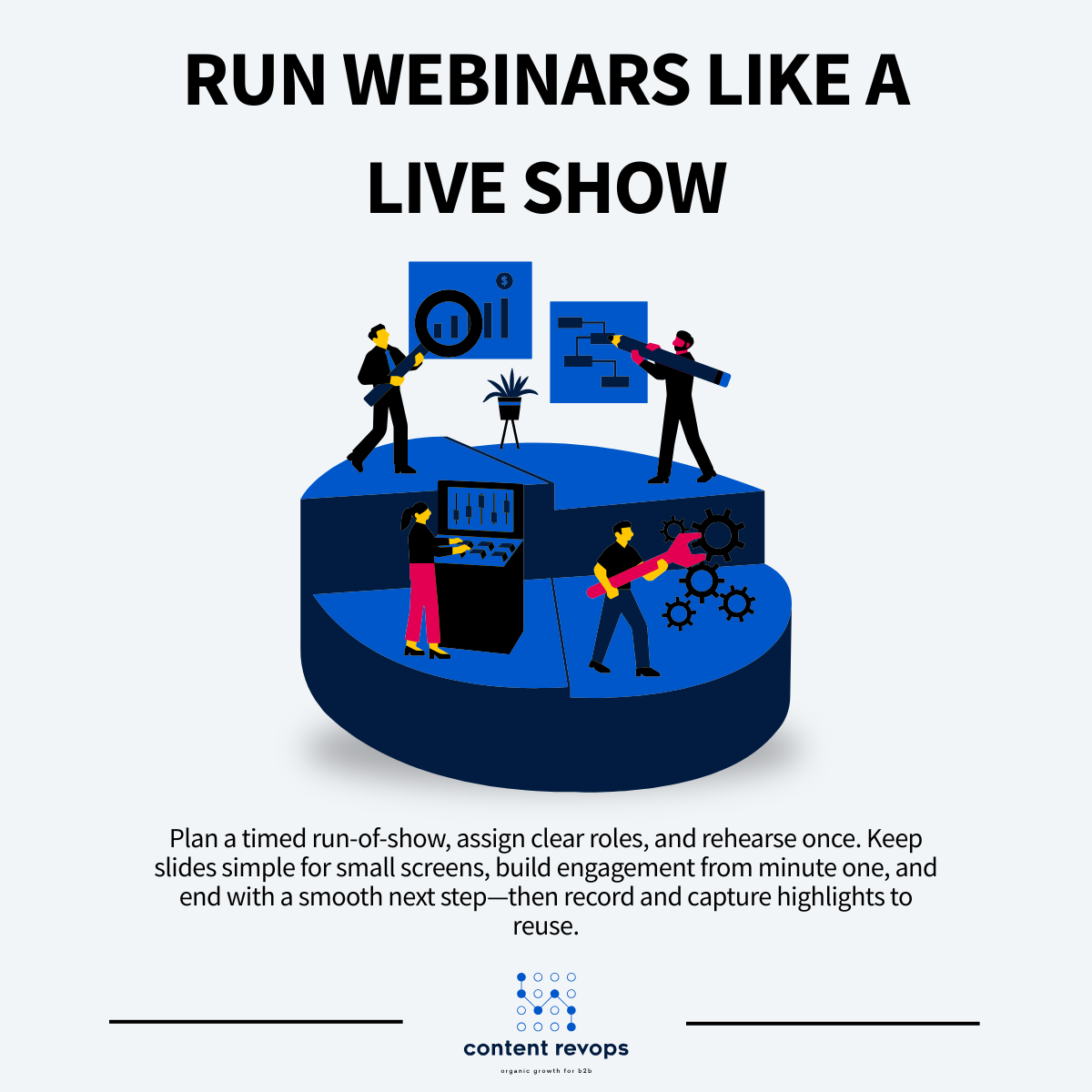
A strong webinar in 2026 should feel like a tight, high-value workshop: structured, energetic, and engineered for participation. That only happens when you treat production like a run-of-show, not a meeting invite, and approach it as a mini broadcast that combines content, logistics, and performance.
Plan the run-of-show and roles
Start with a simple, timestamped run-of-show doc that everyone can see during the session. It should answer, at a glance:
Who speaks when (and for how long)
When polls launch (and who triggers them)
When Q&A starts (and who moderates)
How the soft-sell happens (and exactly when)
Assign clear roles so the host can focus on pacing and presence:
Host/moderator: frames the promise, manages time, keeps energy up
Speaker(s): teaches, uses examples, and stays on the “problem → approach → next steps” track
Chat/Q&A manager: fields questions, drops links, surfaces themes in real time
Content capture lead: timestamps key moments and flags high-intent attendees for follow-up
Treating one person as a dedicated content capture lead turns the webinar into a reusable content engine rather than a one-off, since they can document “aha” moments, questions, and live reactions that later fuel clips, blogs, and campaigns.
Rehearse at least once. Walk through the platform mechanics (mute rules, screen share, polls, recording), then test audio, lighting, and backgrounds. Decide upfront when cameras are on/off so transitions feel intentional, and run a short “table read” to spot timing issues before you go live.
Design slides and materials for small screens
Design for the reality that most people are watching in a small window, half-distracted, often in an embedded player or on a laptop with multiple tabs open.
Keep visuals simple and legible: 5–7 core slides, one big idea per slide, and large text (roughly 30–50 pt, under 20–40 words). Clear, low-density slides are easier to follow live and double as standalone assets for on-demand viewers and repurposed decks.
Use diagrams, checklists, and frameworks instead of dense bullet dumps. Simple visual anchors and frameworks also make it far easier to repurpose the session into whitepapers, blog series, and sales collateral without heavy rewriting later.
Don’t use slides as a teleprompter. Put speaking notes in a separate doc so the speaker can teach naturally while the deck supports the story. Bonus: those frameworks and checklists become reusable assets after the event across channels, not just in the recording.
Engineer engagement from the first minute
Open the room a few minutes early and start the official program 2 minutes after the hour. Introduce the speaker with energy: read their bio while they’re off camera, then “bring them on” like a guest.
Engagement is mostly repetition and safety:
Ask where people’re joining from and what they want to learn
Invite questions 5–6 times and keep Q&A chat-based
Use 1–2 meaningful polls (like “Where are you stuck?”) and reference results live
Keep 3–5 pre-written questions ready to prevent dead air
Follow the 80/20 rule: 80% diagnosing and teaching, with light “how we see this work” cues throughout. In the final ~5 minutes, show a focused solution walkthrough tied directly to the problem you just unpacked, so the pitch feels like a natural extension of the lesson rather than a jarring switch.
Manage risk and professionalism
Default to platform discipline: disable participant mics/cameras, assign a backup host, and always record (ideally with a secondary backup). Keep it concise: 30–45 minutes, with real Q&A time protected, so the session respects calendars while still delivering depth.
Have the content capture lead watch for high-intent signals like implementation-level questions, mentions of timelines/budgets, or stakeholder references—so sales can act while the window is hot. Strong webinars routinely trigger a short 24–48 hour period where attendees are unusually open to follow-up, so your production plan should include a clear handoff into sales and post-event content workflows.
Step 5: Follow Up, Measure, and Turn One Webinar into a Month of Content
Coordinate fast, thoughtful follow-up
The webinar isn’t “done” when you hit End. Your highest-intent window is the next 24–48 hours, so run a short sales debrief while context is fresh. Many seasoned producers find that same-day coordination materially increases conversion from webinar leads to pipeline, because people are still in an “open to next steps” mindset and remember what they asked during the session. Share what happened, not just who showed up—then assign owners and deadlines.
In that debrief, bring:
Attendance + drop-off notes (who stayed, who left early, and at what slide or topic the curve changed)
Poll results + top chat questions (what they actually care about, not just what you planned to present)
High-intent list (asked questions, clicked links, mentioned timelines, requested demos)
Then launch a 2–4 week post-webinar email sequence, which aligns with common nurture best practices for turning one event into a longer campaign:
Email 1: recording + 3-bullet recap + 1–2 question feedback ask
Email 2: one relevant case study/example tied to the core problem
Emails 3–5: “remember this moment” messages linking to short clips, each covering one obstacle or insight
This structure mirrors what high-performing B2B teams use when they turn a single webinar into multiple nurture touchpoints, rather than relying on one “thanks for attending” blast.
Segment by behavior (and say it plainly): attendees vs. no-shows vs. registrants who never came. Each group saw a different experience, so they need a different next step. Webinar practitioners who consistently segment like this see stronger conversion from registrants to sales-ready leads, because messaging and offers match the actual experience.
Measure what matters to revenue
Views are nice; revenue signals are better. Track the full path (click → registration → attendance → on-demand views), then connect performance to your CRM:
New opportunities created
Deals influenced
Deal velocity changes
Upsells/expansions
That level of tracking lines up with how mature webinar programs report on demand gen and revenue impact, not just vanity metrics like registrations. It also lets you compare your funnel to benchmarks such as click-to-registration and registrant-to-attendee ratios that experienced producers monitor across events.
Write the report as a narrative: who attended (roles, industries, company size), what resonated (most replayed moments, most common questions), and what to change in topic, positioning, and outreach next time. Teams that routinely build this kind of story-style recap—rather than a raw export—are better equipped to refine topics and promotional angles for future webinars and to justify continued investment in the channel.
Treat the recording as a content engine
Schedule a 3-hour post-webinar sprint and ship assets immediately:
5–10 short clips for LinkedIn, X, and email
Highlights post (blog or newsletter)
1–2 deeper articles expanding specific segments
FAQ doc for sales based on live questions
Treating the webinar as a master asset like this is how content teams reliably turn one event into a month or more of content, instead of scrambling for net-new ideas every week. That includes building derivative assets for multiple channels (blog, social, email, even sales decks) from the same source material.
Use AI to accelerate transcription, summarization, clip selection, and first-draft copy—but connect everything back to your systems: tag assets in your CMS, attach them to records in your CRM, and make them searchable so sales and success can reuse them as evergreen enablement. Modern video and AI platforms can automatically generate clips, transcripts, and captions at scale, which is what makes a three-hour sprint realistic rather than aspirational.
Finally, host the on-demand version on a simple landing page with a clear next step—demo, trial, or related resource. Ongoing promotion of that page through email and social aligns with how many teams treat webinars as long-term lead-generation and nurturing assets, not just one-off events.
Conclusion
In 2026, the teams winning with webinars don’t treat them like demo-masquerades or one-off campaigns. They run webinars as a strategic operating system: a repeatable program that educates buyers, surfaces intent signals, and feeds Revenue Operations with usable data and content—very much in line with how mature B2B teams now treat webinars as high-value, repurposable “master assets” that can drive weeks of marketing output from a single event](https://www.marketingprofs.com/articles/2025/53918/repurpose-webinar-content-b2b-marketing).
The 80/20 principle is the center of gravity. When you spend most of the session diagnosing a real problem—and only lightly “pre-sell” along the way—you earn trust, get more questions, and create the right conditions for sales to help (without forcing it). That 80% education / 20% soft pre-sell mix consistently shows up in the highest-performing B2B webinars](https://www.marketingprofs.com/articles/2021/46331/eight-lessons-learned-from-giving-100-webinars) and aligns with how top-of-funnel webinar content is now benchmarked in practice](https://blog.hubspot.com/blog/tabid/6307/bid/33540/18-ways-to-guarantee-nobody-misses-your-next-webinar.aspx).
A webinar becomes infrastructure when you operationalize the full loop:
Sharp ICP + situational targeting (not “anyone in the industry”), matching how leading teams now narrow to specific roles, firmographics, and trigger events instead of broad categories](https://blog.hubspot.com/blog/tabid/6307/bid/33540/18-ways-to-guarantee-nobody-misses-your-next-webinar.aspx).
Co-created topics with credible SMEs that match real buyer pain, treating speaker sourcing and topic development as live market research rather than internal brainstorming](https://www.marketingprofs.com/articles/2021/46331/eight-lessons-learned-from-giving-100-webinars).
Email-led promotion with segmented messaging and tight landing pages, reflecting that a majority of webinar registrations still come from well-structured email campaigns and focused registration pages](https://contentmarketinginstitute.com/video-visual-content/webinar-planning-checklist-for-content-marketing-from-let-s-do-it-to-action).
Disciplined production (roles, run-of-show, rehearsals, engagement prompts) so the event runs like a mini live show with clear ownership, rehearsals, and engagement beats built in across the entire webinar life cycle](https://contentmarketinginstitute.com/video-visual-content/webinar-planning-checklist-for-content-marketing-from-let-s-do-it-to-action).
Fast sales follow-up within 24–48 hours, plus structured nurture, capitalizing on the short post-event window when attendees are most receptive and engagement data is freshest for sales](https://www.marketingprofs.com/articles/2021/46331/eight-lessons-learned-from-giving-100-webinars).
Systematic repurposing so the live event becomes weeks of pipeline-facing assets, from clips and posts to articles and enablement content that can extend one webinar into a full month of publishing](https://www.marketingprofs.com/articles/2021/45372/no-time-to-create-content-turn-one-webinar-into-nine-marketing-pieces-in-less-than-14-days-without-killing-yourself).
That’s the Content RevOps view: content as a product and a revenue lever. Adopt this model and each webinar compounds—shortening cycles, revealing market insight, and aligning marketing, sales, and customer success around a shared engine that keeps working long after the live session ends, much like the most effective B2B webinar programs now operating as ongoing, metrics-driven content systems instead of isolated events](https://www.marketingprofs.com/articles/2025/53918/repurpose-webinar-content-b2b-marketing).
Is your webinar program producing revenue signals—or just recordings?
Book a callaBuild webinars as Content RevOps infrastructure: intent-triggering experiences that feed sales, compound into a month of assets, and show up in your CRM. to discuss how Content RevOps can help you build a predictable pipeline.
Frequently Asked Questions
About the Author

Founder & CEO, Content RevOps
Stefan Kalpachev is the founder and CEO of Content RevOps, where he helps B2B SaaS companies transform their content into predictable pipeline. With a background in content marketing and revenue operations, Stefan has developed a unique methodology that bridges the gap between content creation and revenue generation.
Connect on LinkedIn